QT Wrapv1.0
Remux video files into QuickTime-compatible MP4s - fast and mostly lossless.
What is QT Wrap?
QT Wrap remuxes video files into MP4s so they can play natively in QuickTime, Photos, Final Cut, and other Apple apps. Remuxing means changing the file's container (the outer wrapper that holds the video and audio) without re-encoding the video inside. The video is copied bit-for-bit, so conversion finishes in seconds rather than hours, and the output is roughly the same size as the original.
The one exception is audio - if the audio codec is already QuickTime-compatible (AAC, MP3, AC3, and a few others), it's copied as-is. If it's not (DTS, FLAC, Opus, Vorbis, TrueHD), QT Wrap re-encodes the audio to stereo AAC at 192 kbps. That's the only re-encoding the app ever does.
Who is it for?
You have video files that won't open in QuickTime. Maybe they're MKVs from a Blu-ray rip, AVIs from an old hard drive, or WebMs from the internet. The video and audio inside are already in codecs Apple supports, but the container is unsupported. You don't want to wait hours for a full re-encode, and you don't have time to learn FFmpeg commands. Just drop the files in and click Start to get MP4s.
What files does it accept?
Containers: .mkv, .webm, .avi, .ts, .mts, .m2ts, .mxf, .mov, .mp4, .m4v
Video codecs (copied as-is): H.264, HEVC, ProRes, MJPEG, AV1 (AV1 requires Apple M3 or later)
Output format: .mp4 for H.264, HEVC, and AV1. .mov for ProRes and MJPEG, which are QuickTime's native containers for those codecs.
Audio codecs (copied as-is): AAC, MP3, Apple Lossless, AC3, EAC3
Audio codecs (re-encoded to stereo AAC 192 kbps): DTS, FLAC, Vorbis, Opus, TrueHD, and others
Text subtitles (SubRip, SSA/ASS, WebVTT) are embedded in the output as mov_text tracks and also extracted as .srtfiles alongside it. Bitmap subtitles (PGS from Blu-rays, VobSub from DVDs) are skipped. They're images, not text, and converting them would require OCR.
What it doesn't do
QT Wrap only handles files whose video codec is already in the compatible list. Files with DivX, Xvid, VP9, MPEG-2, or 10-bit H.264 (Hi10P) will be rejected with a clear message, but the rest of your batch keeps running. AV1 files on Intel Macs or Apple Silicon earlier than M3 are also rejected, since those chips don't have a hardware AV1 decoder.
It also won't overwrite existing files. If Vacation.mp4 already exists at the destination, the original Vacation.mkv is skipped. This is to preserve original file names and avoid accidentally replacing something you already have.
How to use QT Wrap
Drag files or folders into the window. Folders are scanned recursively, so every supported file inside gets queued. The moment a file is added, QT Wrap probes it in the background and flags any issues before you click Start, so you'll know right away which files in a big batch won't work.
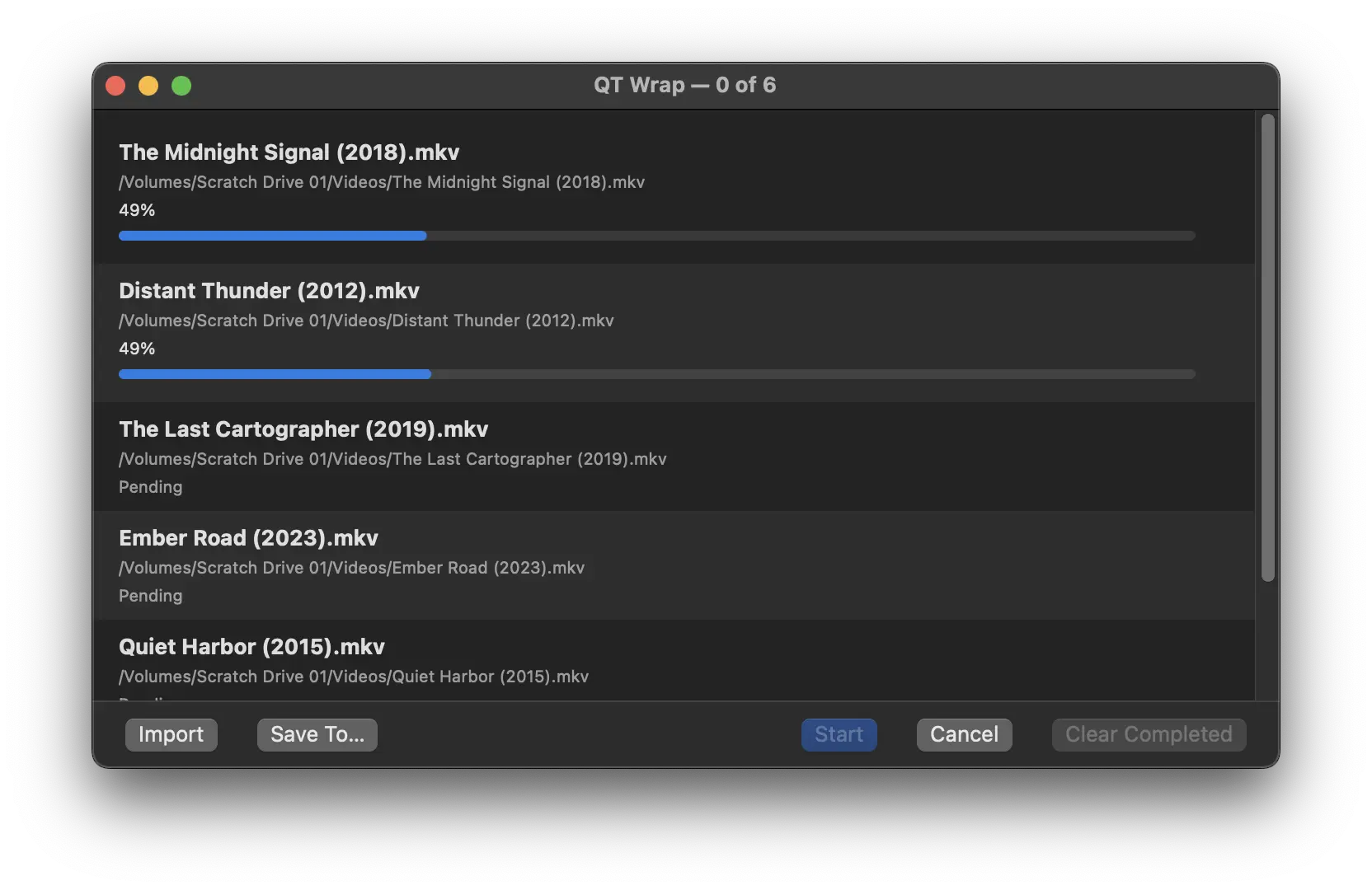
Click Start and up to two files convert simultaneously, with per-file progress. By default, the new file is saved next to the original. Drop in Vacation.mkv from your Movies folder and you'll find Vacation.mp4 in the same spot when it finishes. If you'd rather send everything to one place, use "Save To…" to pick a custom output folder.
A file marked Skipped is not an error. It just means the file is already QuickTime-compatible and remuxing it would produce a copy, or it means that the output file already exists. If you're not sure whether a file needs converting, drop it in and QT Wrap will let you know.
Right-click any item to cancel, retry, or reveal it in Finder. A macOS notification fires when the batch is done.
Technical details
QT Wrap is a native macOS app, written in Swift and SwiftUI. It uses FFmpeg 7.1.2, bundled as a universal binary under the LGPL-2.1 license. Runs natively on both Apple Silicon and Intel Macs. Requires macOS 14.0 or later.
A note on testing
I've tested QT Wrap extensively with MKV, WebM, MP4, and MOV files on Apple Silicon and Intel Macs. Some formats have seen less real-world use so far, including AVI, TS, MTS, M2TS, MXF, and MJPEG. I also don't have an M3 Mac, so AV1 support hasn't been tested firsthand. If you run into issues with any of these, I'd like to hear about it. I'll keep updating the app and this page as I use it more and get feedback.
Intel Mac support is still experimental at this point since testing has been limited, but I'll be working on updates to make sure it's solid over time.